
Mac
iPhone location changer for Mac, on Apple Maps
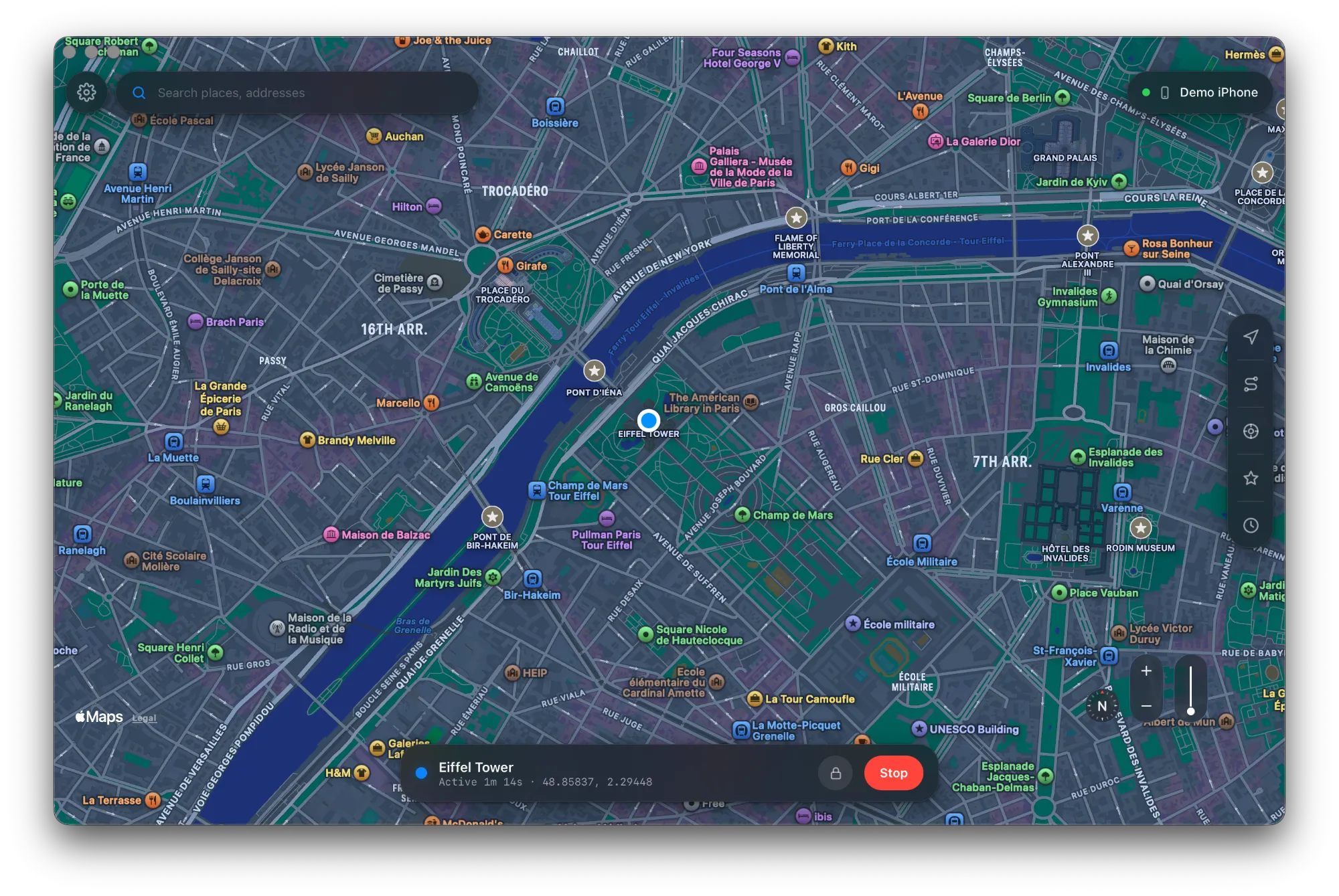
Geovo for Mac is a native app that changes your iPhone's GPS location on the same Apple Maps you use every day. It runs on Apple Silicon and Intel Macs, and it can put the Geovo app on your iPhone so you can go cable-free.
Updated September 2026
Why a Mac app
- Apple Maps, natively. Geovo for Mac uses Apple's own map, with the same look, search and places as the iPhone. Walking routes follow Apple's directions.
- Apple Silicon and Intel. There's a build for M-series Macs and a separate one for Intel Macs. macOS 13 or later.
- No Xcode needed. Xcode can simulate location for an app you're debugging, but Geovo works for the whole phone with a map instead of coordinates.
What you need
- A Mac on macOS 13 or later.
- An iPhone on iOS 17 or later and a data-capable USB cable.
- Your Apple ID, only if you want the iPhone app. It goes only to Apple; Geovo never saves it.
Install and open Geovo on your Mac
- Download Geovo for Mac. Pick the Apple Silicon build, or the Intel build for an older Mac.
- Open the file and drag Geovo into Applications.
- Open Geovo. Geovo isn't signed with a paid Apple Developer certificate yet, so macOS asks you to confirm the first time. If it says it can't verify the app, click Done.
- Open System Settings › Privacy & Security, scroll to Security and click Open Anyway next to Geovo. You do this once per update.
Step by step: opening Geovo on Mac and Windows.
Change your iPhone's location from the Mac
- Plug in your iPhone, unlock it and tap Trust.
- Turn on Developer Mode on the iPhone (Settings › Privacy & Security › Developer Mode). It restarts once; tap Turn On after unlocking.
- Search for a place or click the map, then Teleport.
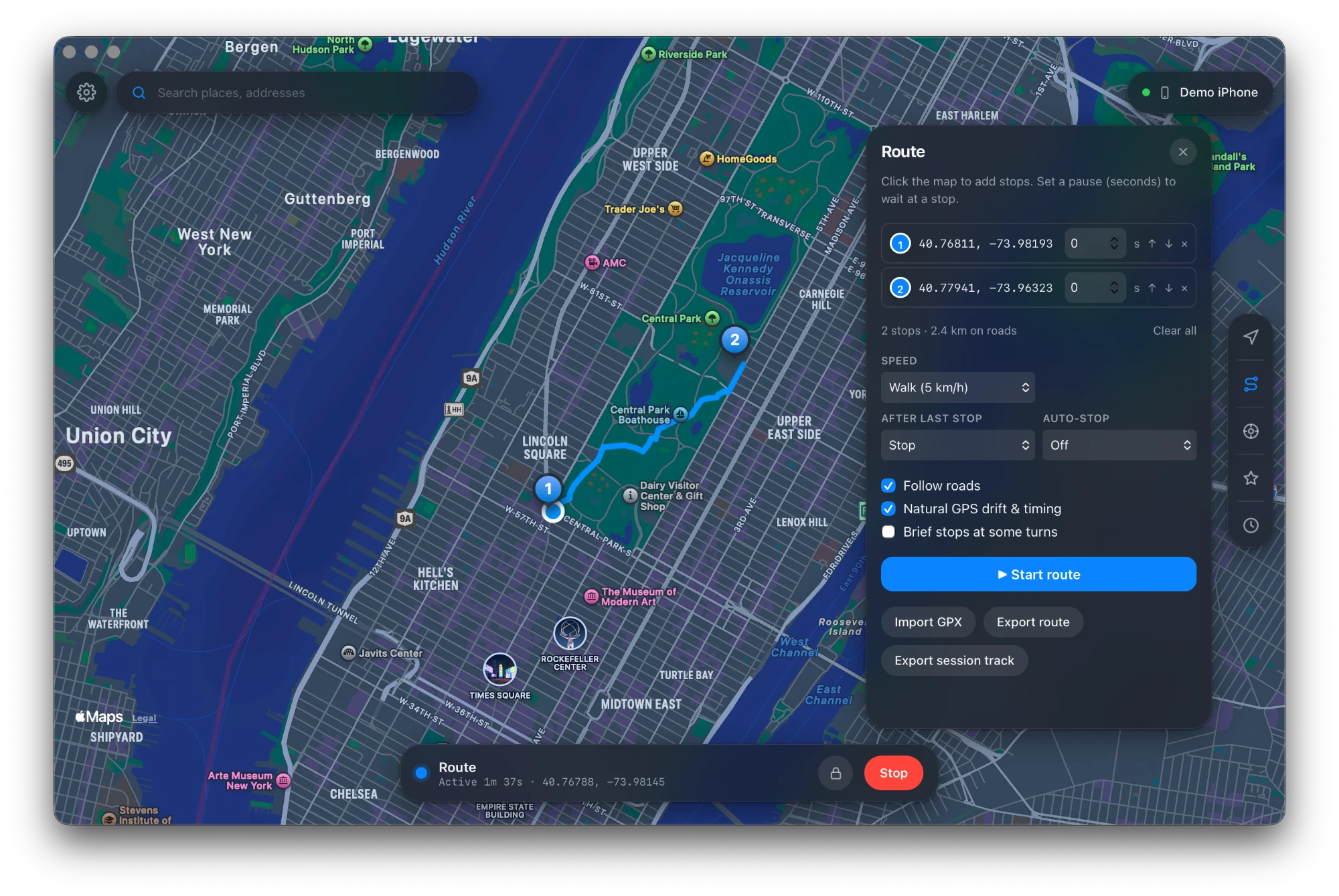
- Play a route at walking, cycling or driving speed, steer with the joystick or arrow keys, or import a GPX file.
- Click Return to Real Location to hand GPS back to the iPhone.
Go cable-free with the iPhone app
From the Mac, Geovo can install its iPhone app, signed with your own Apple ID. With the free LocalDevVPN helper, the iPhone app changes location on its own, on Wi-Fi or cellular. Because it's installed with a free Apple ID, Apple signs it for 7 days: plug into the Mac once a week and click Renew, and your saved places stay where they were. Read more in changing location without a computer and why the app renews every 7 days.
Everything in Geovo for Mac
- Teleport by search or by clicking the map.
- Routes along real roads at realistic speeds.
- Joystick with on-screen stick or arrow keys.
- GPX import and export.
- Saved places, recents and schedules.
- Auto-stop timer and an always-available Return to Real Location.
- Your locations never leave your devices. Our server knows your email, your plan and the minutes you've used.
Troubleshooting on Mac
- "Geovo can't be opened": use Open Anyway in Privacy & Security (above).
- The iPhone isn't found: unlock it, tap Trust, and try another cable or port.
- "Apple is limiting sign-in attempts" when installing the iPhone app: wait about 30 minutes and try once.
For the broader picture, including the Xcode method, see how to change your iPhone's location. On a PC? See Geovo for Windows.
Price
Free for 30 minutes every day. Pro is unlimited from $3.99/week, or $69.99/year ($5.83/month), or $99.99 once for lifetime. One licence covers Mac, Windows and the iPhone app. See pricing.
Frequently asked questions
- Does Geovo run on Intel Macs?
- Yes. There is an Apple Silicon build and a separate Intel build, both for macOS 13 or later. Pick the Intel version on the download page.
- Why does macOS ask me to click Open Anyway?
- Geovo isn't signed with a paid Apple Developer certificate yet, so macOS asks you to confirm the first time. Open System Settings › Privacy & Security and click Open Anyway next to Geovo.
- Does it use Apple Maps?
- Yes. Geovo for Mac uses Apple Maps natively, so places and search match what you see on the iPhone.
- Do I need Xcode?
- No. Geovo doesn't need Xcode or an Apple Developer account.
- Is my Apple ID stored?
- No. It's used only when you install or renew the iPhone app, it goes straight to Apple, and Geovo never saves it.
Try Geovo free
30 minutes every day, every feature. Mac and Windows.